Features Pricing Support Web Portal Get the App
Features

The whole business,
in your pocket.

Everything a small trade crew needs to run the day — and an AI office keeping an eye on all of it.

Office AI

An AI office that actually knows your business.

Office isn't a chatbot bolted on the side. It reads your live schedule, timecards, jobs, and documents — and briefs you before you ask.

Ask anything

Ask it like you'd ask your office manager.

Plain-English questions, live answers from your actual data — hours worked, active jobs, who's clocked in, what's in the Vault. No dashboards to dig through.

Who hasn't clocked out yet?
What jobs are active right now?
How many hours did Marcus log this week?
Find the countertop spec in the Vault
Office
Responding
Who hasn't clocked out yet?
Jake and Carlos are still clocked in — Jake at Anderson Kitchen (7h 22m), Carlos at Westside (5h 48m).
How many hours total today?
Your crew has logged 24h 16m across 3 jobs today.
Ask about your team or schedule...

Morning & end-of-day briefings

Start the day knowing who's scheduled where and what's on deck. End it with what actually happened — hours logged, jobs touched, anything that looks off.

Focused work modes

Office switches into the mode for the job at hand — scheduling, documents, crew questions — so answers stay sharp instead of generic.

Live business data

Every answer is pulled from your real schedule, timecards, jobs, and files at the moment you ask — not canned responses.

Clock-in & Time

Clock-in that proves they showed up.

Your crew punches from their phone — and Tether checks they're actually on the jobsite, splits their hours, and flags anything off. No stopwatch, no honor system.

Time Tracking

GPS-verified at the jobsite — not the truck.

When someone clocks in, Tether checks their location against the site they're scheduled at that day (or your shop) and marks the punch verified. Location is only checked at clock-in and clock-out — never tracked in the background.

  • GPS jobsite verification. Every punch stamped with the distance from where they're supposed to be.
  • Regular, OT & double-time — split for you. Up to 8h regular, 8–12 overtime, over 12 double-time, with a weekly 40-hour cap.
  • Off-site clock-in alerts. A punch outside the radius pings you with the distance — it flags, it doesn't block.
  • Lunch is clocked, not guessed. One tap starts and ends the break and it comes off the total — every hour is net worked time.
  • Nothing slips. A forgotten punch auto-closes at 16 hours and gets flagged, and the server clock means nobody can back-date or pad a shift.
Punch Card
Not clocked in
THIS SESSION
00:00:00
THIS WEEK
REGULAR
23h 30m
OVERTIME
0h 49m
View My Time Card
Working
Linked to business View My Time Card
Time on Clock
00:00:00
Off-site clock-in

Marco clocked in 1.2 mi from the Briarwood site — worth a look before payroll. Tether flagged it automatically; it didn't block the punch.

Timecards & Payroll

Payroll that builds itself — and holds up.

Hours assemble themselves into the pay period you actually run, corrections stay on the record, and your bookkeeper gets a clean export instead of a shoebox.

Timecards

Every punch, split and totaled.

The timecard buckets each day into regular, overtime, and double-time automatically and rolls up the period total — the same numbers your crew sees, so payroll isn't a negotiation.

  • Correction requests + audit trail. A forgotten punch gets fixed with a note and your tap to approve; the original time is kept and every edit is stamped.
  • Runs on your payroll rhythm. Weekly, bi-weekly, semi-monthly, or monthly — hours auto-bucket into the right period.
  • Payroll-ready exports. A branded Excel workbook with per-day reg/OT/DT, plus plain CSV and a print-ready PDF.
Jul 2 – Jul 15
DateDayInOutTotalRegOTDT
Jul 2Thursday7:04 AM3:00 PM7h 55m7h 55m
Jul 6Monday6:59 AM3:31 PM8h 32m8h 00m0h 32m
Jul 7Tuesday7:01 AM2:32 PM7h 30m7h 30m
Jul 8Wednesday7:03 AM3:21 PM8h 17m8h 00m0h 17m
Totals:32h 14m31h 25m0h 49m
Day to day

The tools you'll touch every single day.

Schedule

A live view of who's on what.

A week and month view of your crew's assignments — spot gaps, move work around, and let everyone see their own schedule instead of asking you.

  • Week and month views of the whole crew
  • Assign jobs and tasks right from the calendar
  • One-way sync into Google Calendar, straight from the app
  • Crew sees their day in the app — no more "where am I going?"
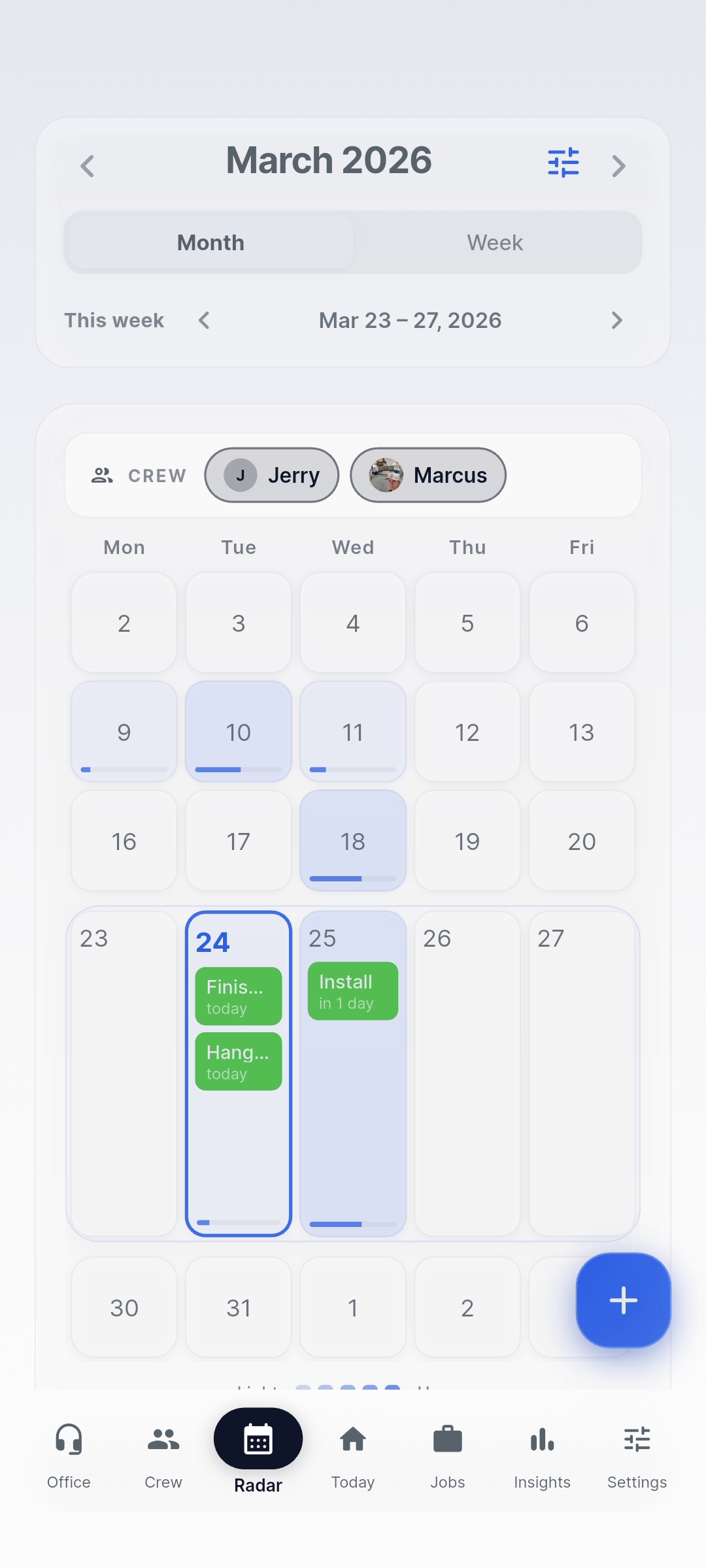
Tether Schedule month view
Document Vault

Every spec, photo, and paper — findable.

The Vault files your documents by job and customer, and it's searchable down to the text inside your files. The countertop spec from March? Two seconds.

  • Filed by job and customer, not a junk drawer
  • Full-text search — including text inside documents
  • Job photos live with the job they belong to
  • Office AI can find and pull from Vault files for you
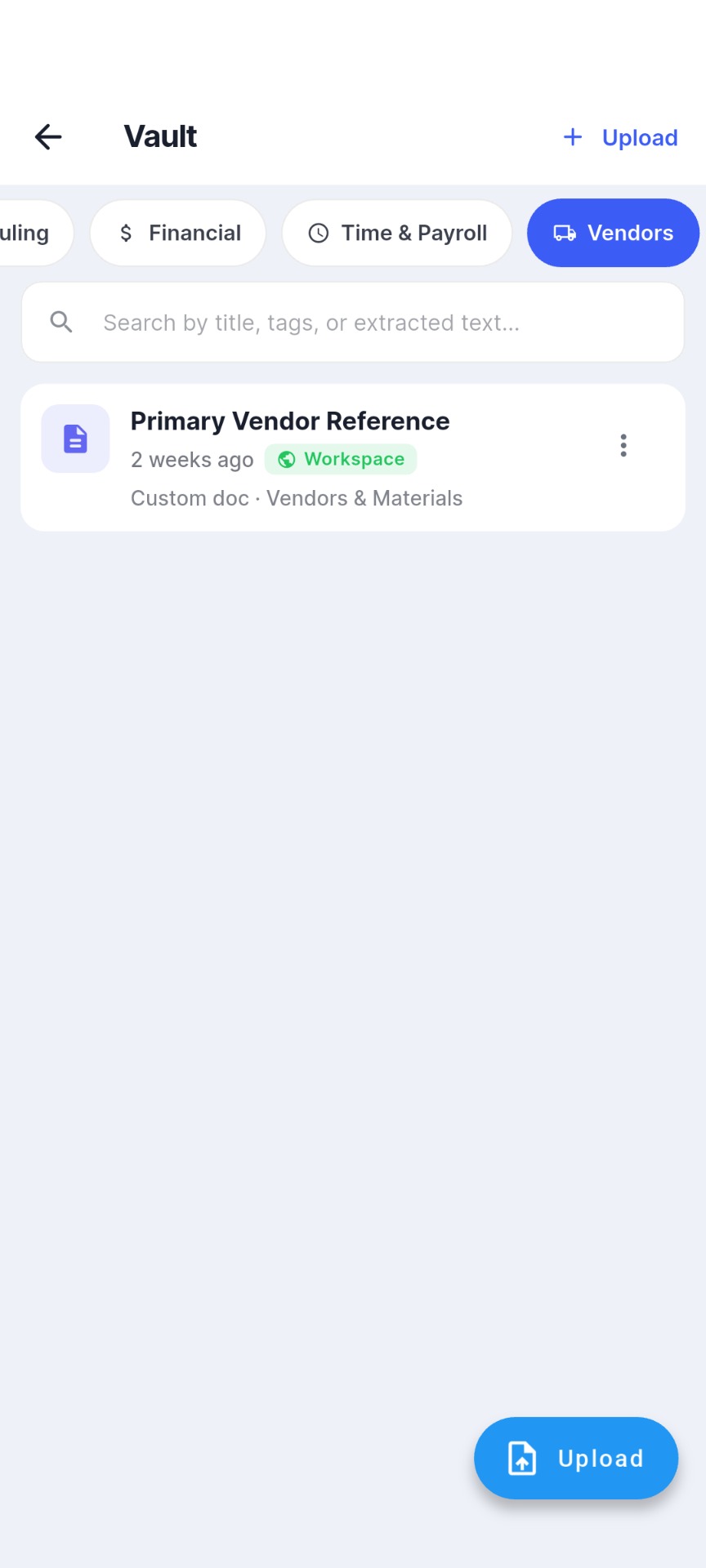
Tether Document Vault
The rest of the toolkit

Built out. Not bolted on.

Crew Management

Invite your crew, set roles, and manage who sees what. Employees get the free app; you keep the controls.

Jobs & Templates

Build jobs with tasks and crew, or start from a template for the work you do again and again.

The Queue

An open pool of work waiting for hands. Drag a task onto a crew member and it's assigned — done.

The Board

The shared surface for loose ends — notes, questions, reminders — that used to get lost in the group text.

Google Calendar Sync

Your Tether schedule pushes into Google Calendar automatically — one-way, so your calendar always matches the app.

Notifications & Widgets

Assignment alerts, schedule changes, and home-screen widgets that show the day at a glance.

See it with your own crew.

Every plan starts with a 90-day free trial — full access, no credit card. If it doesn't stick, you've lost nothing.

90-day free trial · No credit card required